Plan your stops. Take the route with you.
Turn saved properties into an ordered route. Open it on your phone, get directions to the next stop and record the visit result without losing the property details.
Get started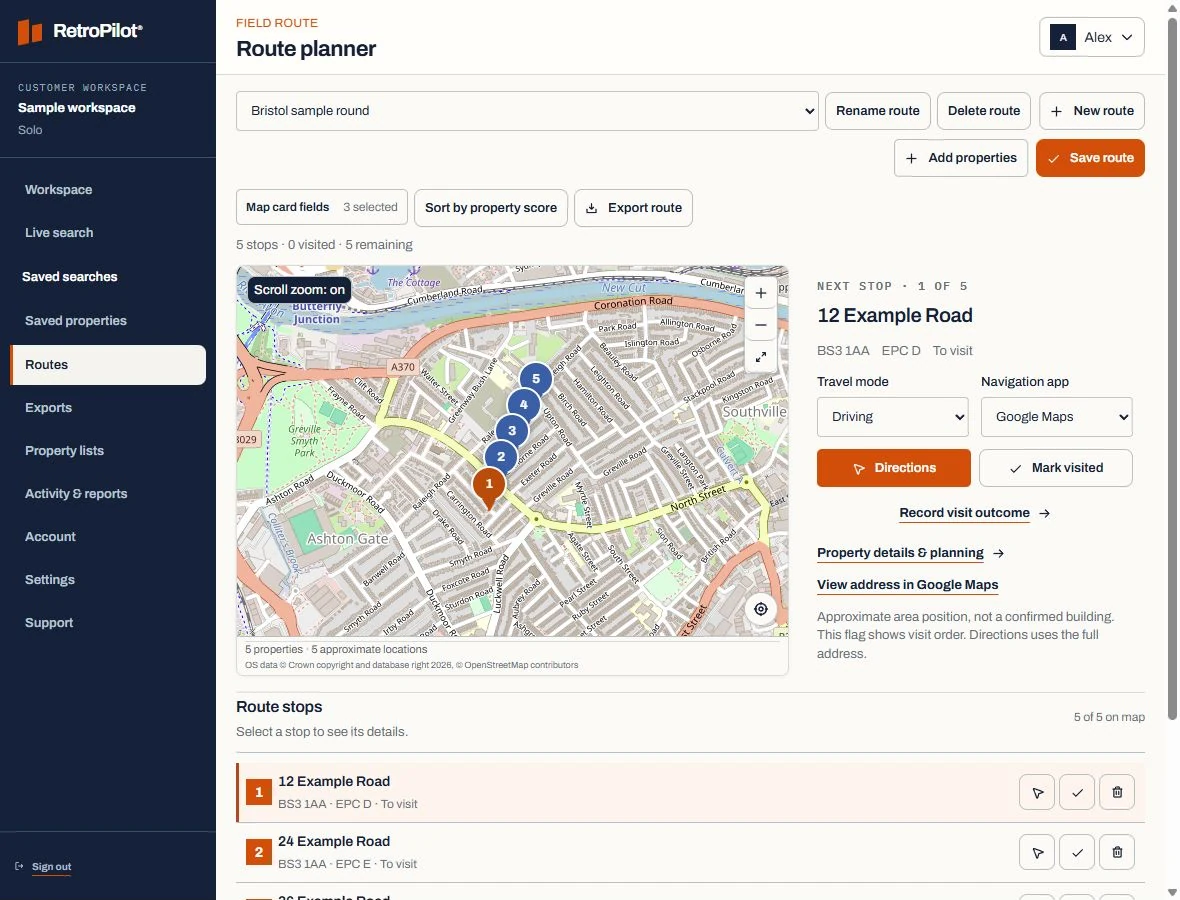
Your map, stops and next destination together.
Review the stop order and selected property before you set off. The map shows the order of visits; the chosen navigation app supplies walking or driving directions.
Plans and property creditsChoose your stop order
Build and edit a route from the properties you have selected. Team owners can assign routes to workers.
Open your navigation app
Use Google Maps or Apple Maps for walking or driving directions, or Waze for driving. Choose the destination from the current stop.
Keep moving with the record
Mark a stop visited, record its outcome and add a follow-up. Workers can also create routes for their own work.
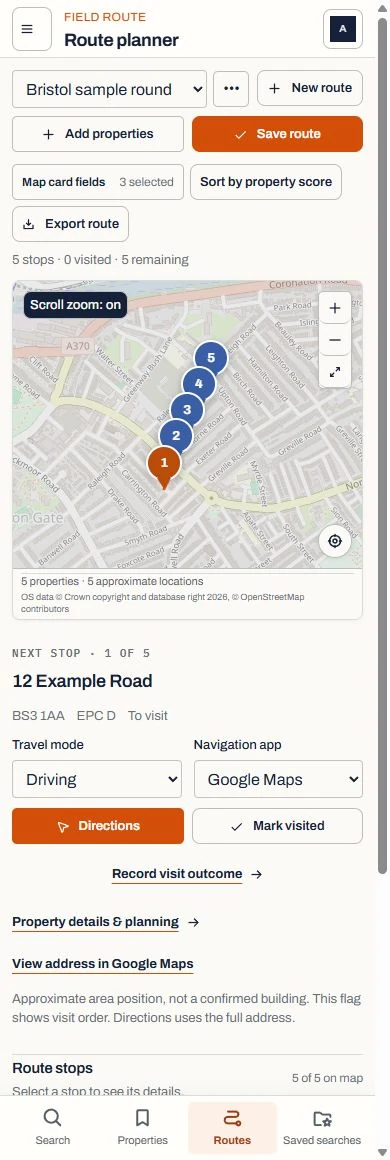
Directions and the next action, on your phone.
Choose your travel mode and navigation app. After the visit, return to the same property to record the outcome and any follow-up.
Use Google Maps or Apple Maps for walking or driving. Waze supports driving. Map lines show stop order, not an optimised road route.